Android app for indoor rowing machines

Honest numbers for your rowing machine

Squareblade connects to your Bluetooth rowing machine to show what it really measures, give you seven 3D worlds to row in, and record every stroke on your phone—with no account, no adverts and no tracking.

Ask for an invite

Closed test on Google Play coming soon · Free during the beta
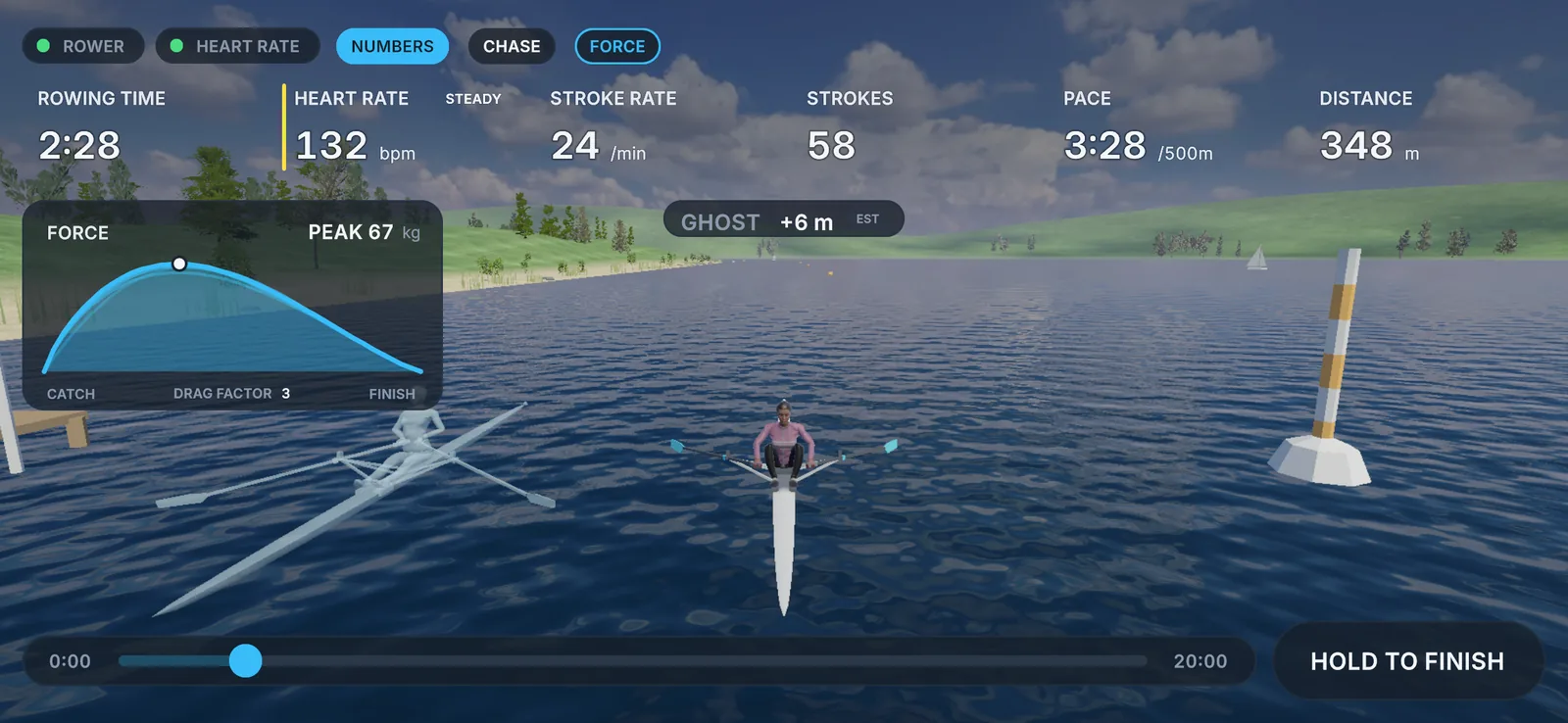
Squareblade 3D lake view showing rowing time 2:28, heart rate 132 bpm in the Steady zone, stroke rate 24 per minute, 58 strokes, pace 3:28 per 500m, distance 348 m, a live force curve peaking at 67 kg with drag factor 3, and a sculler racing 6 metres ahead of a translucent ghost boat.
Rowing on the lake with live numbers, a ghost boat from your best past row, and a live stroke force curve.
Honest numbers

Know what is measured and what is estimated

Most home rowers' consoles estimate distance, pace and calories from the stroke rate. Squareblade shows what the machine really measures, and labels its estimates EST (grey) rather than passing them off as measured.

On a Concept2 PM5 distance, pace and watts are measured, so no EST.

Stroke rate
24/min

Measured directly by your rowing machine.

Pace (home rower) EST
3:28/500m

Shown in grey and labelled EST when estimated from stroke rate.

Pace (Concept2 PM5)
3:14/500m

Distance, pace and watts are measured on a PM5—no EST badge.

Row somewhere

Seven 3D worlds to row through

Your rower rows at your stroke rate while a ghost boat races your best past row. Switch between four camera views and spot surprise moments along the course: geese, a heron, another crew passing, or a hot-air balloon.

  • Matches your live stroke rate
  • Ghost boat races your best past row
  • Four camera views
  • Geese, a heron, another crew passing, a hot-air balloon
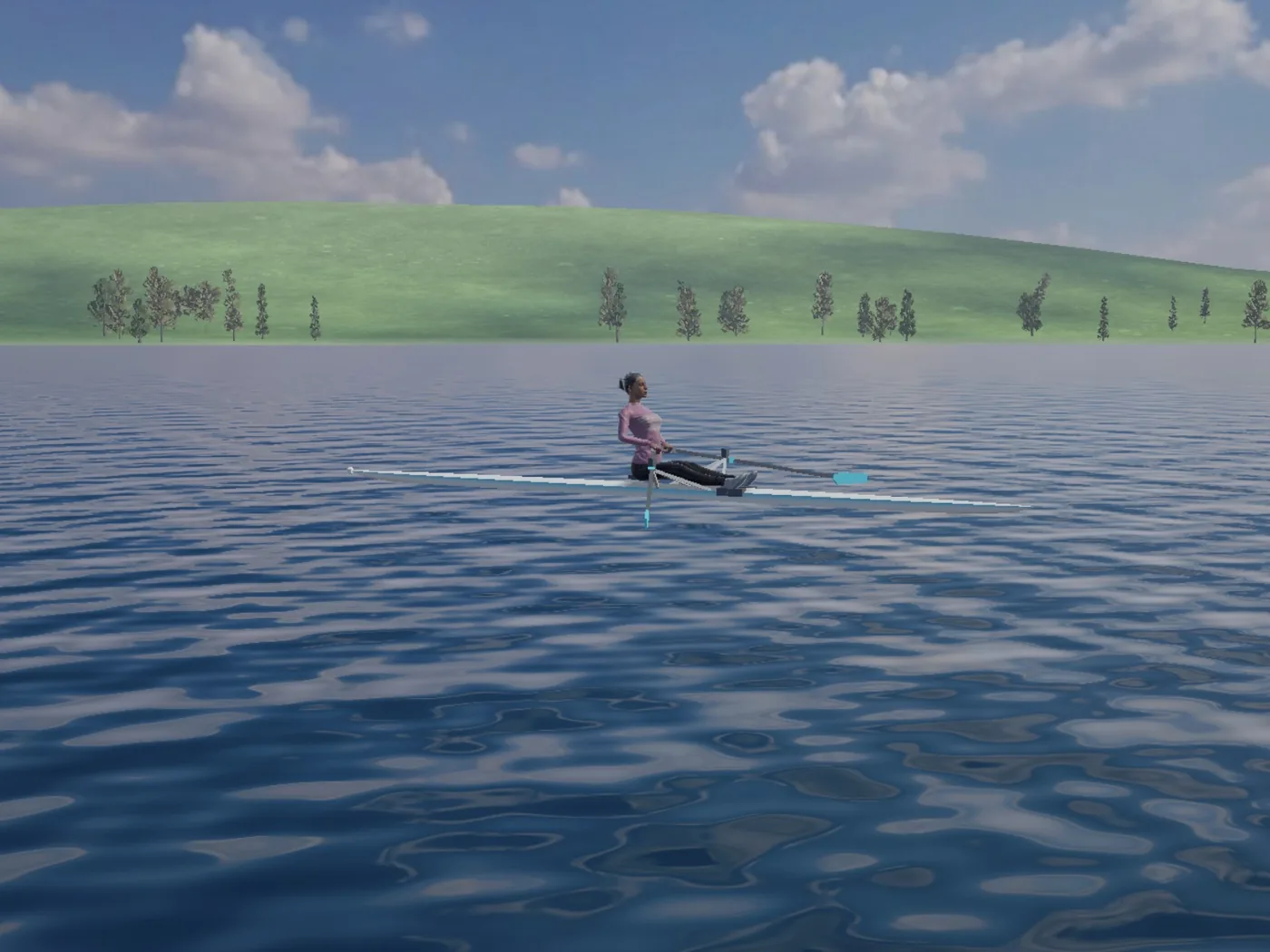
A sculler rowing across a bright blue lake at midday with green hills and scattered trees along the shore under white clouds.
A lake at midday
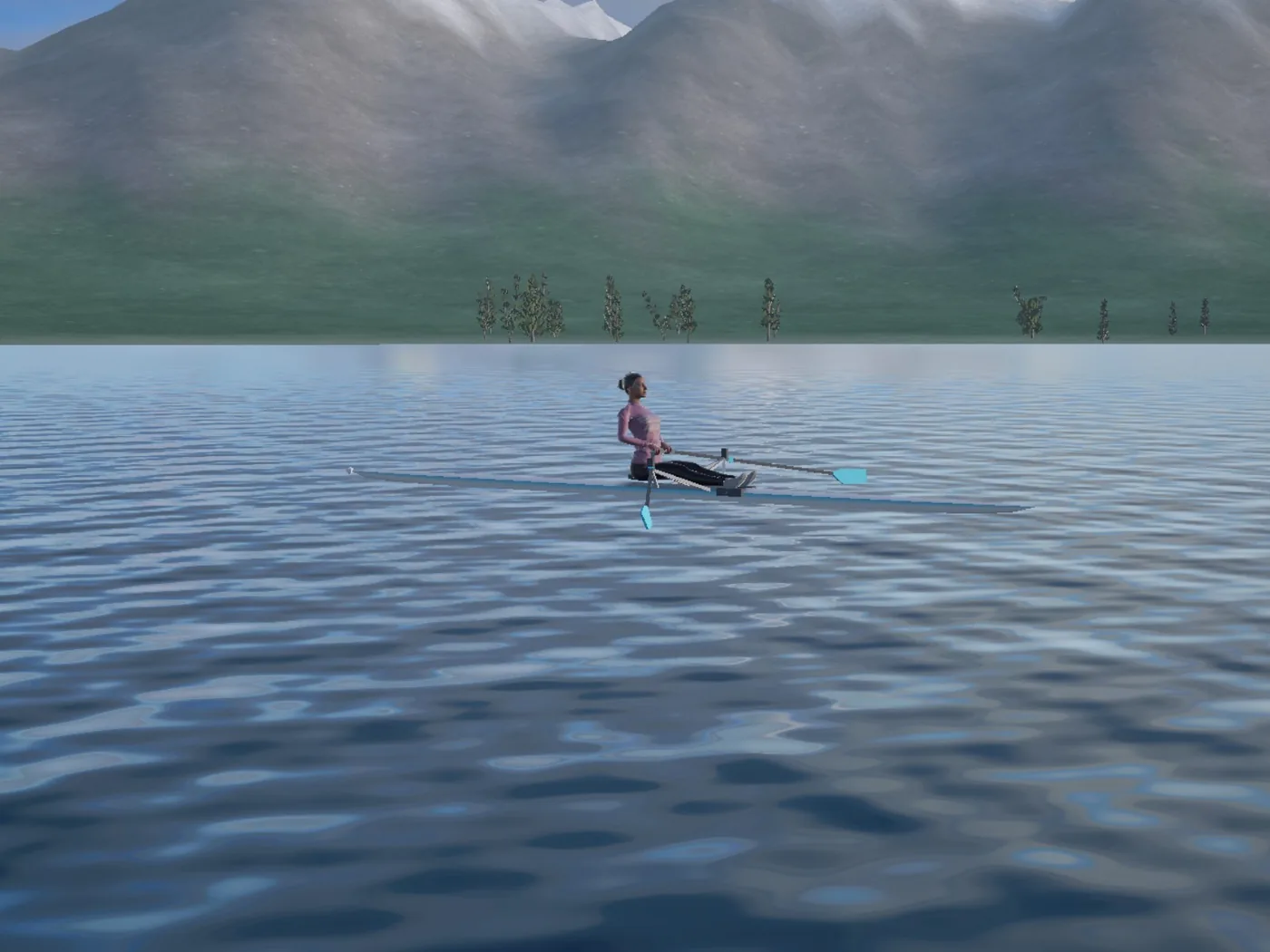
A sculler on a calm mountain lake in the morning with snow-topped peaks rising behind green slopes.
A mountain lake in the morning
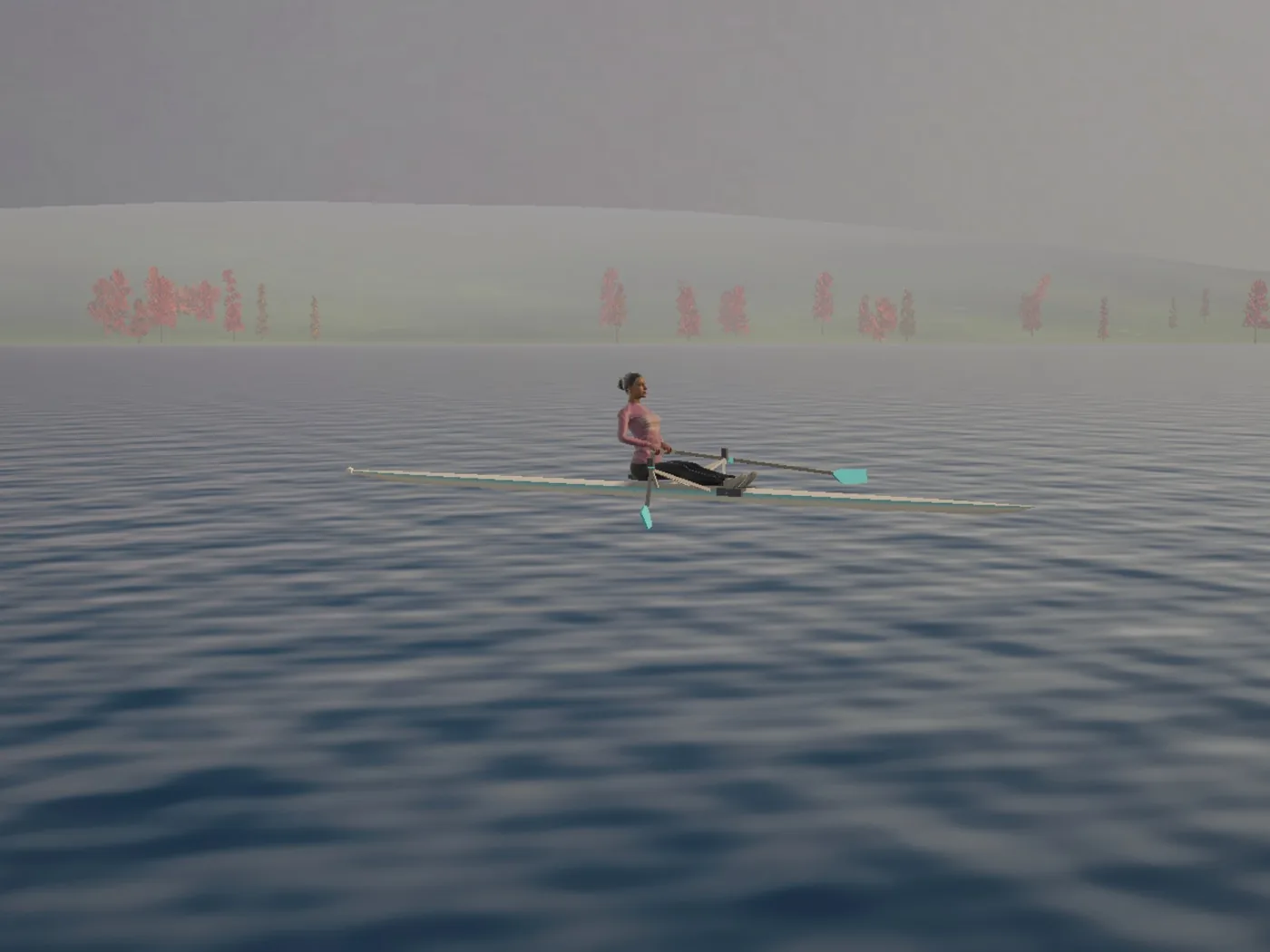
A sculler rowing on a misty lake with red and orange autumn trees along a hazy shoreline.
An autumn lake in the mist
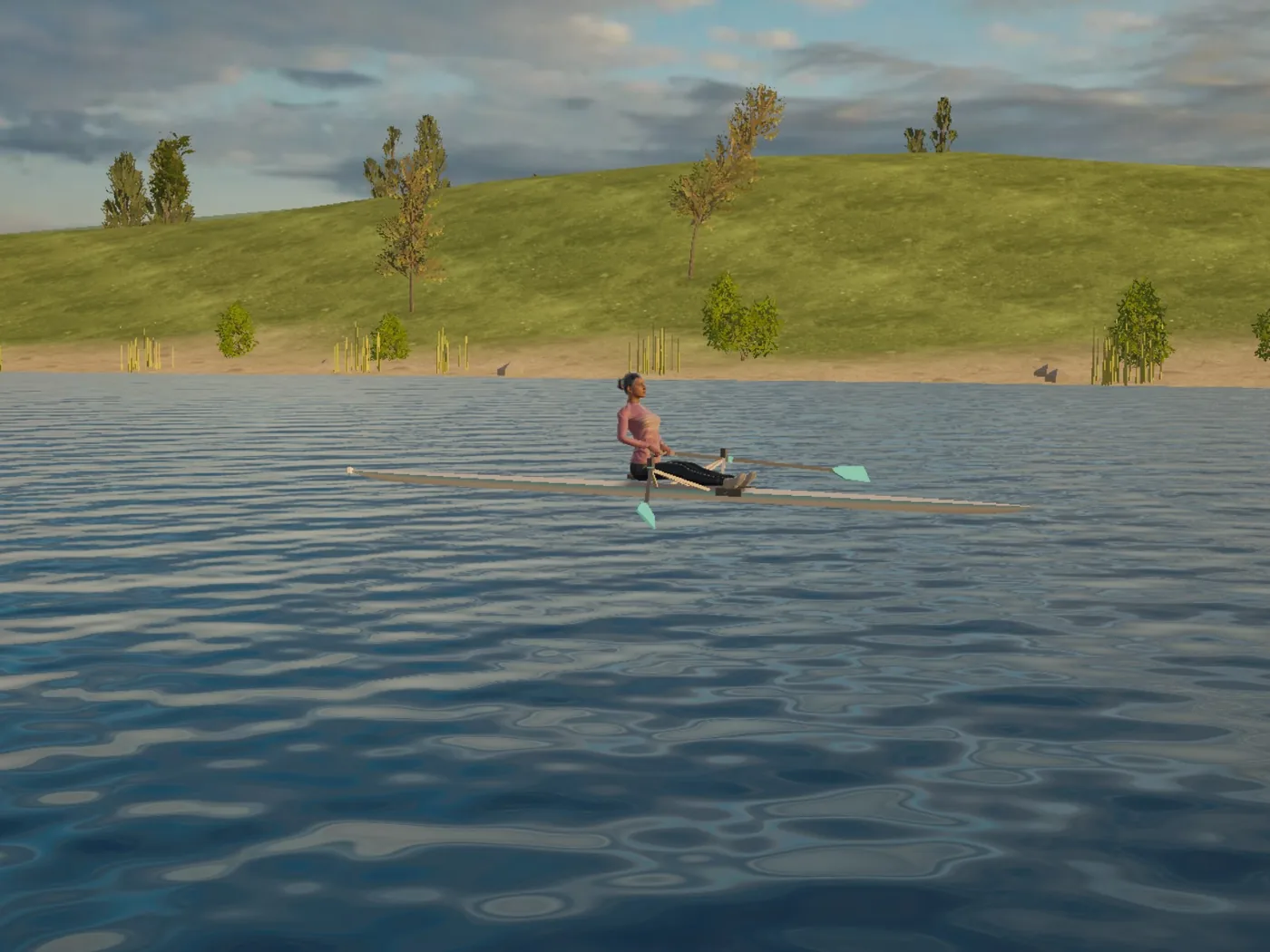
A sculler on a winding river at golden hour with warm light on grassy hills, reeds, and trees along a sandy bank.
A winding river at golden hour
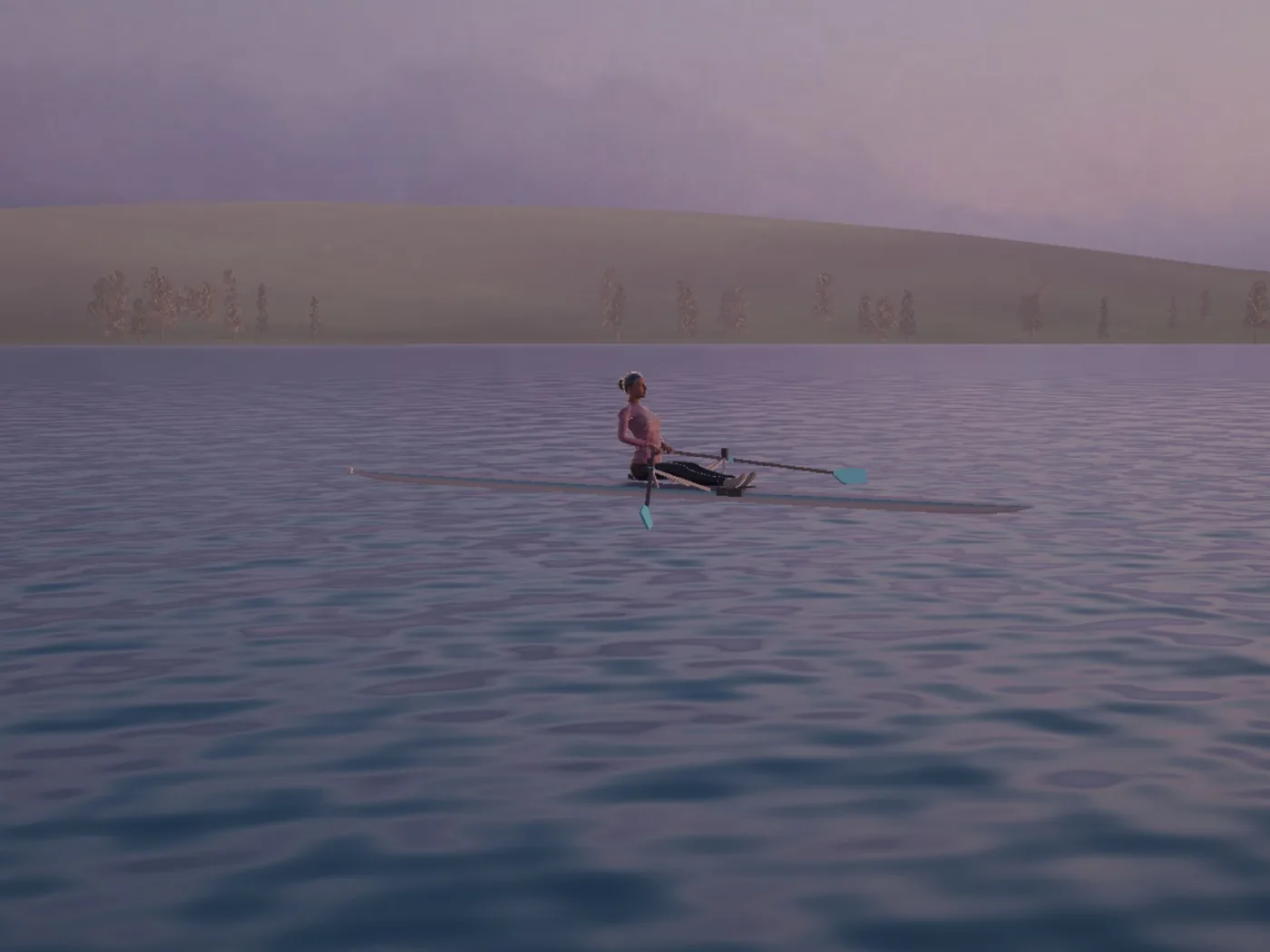
A sculler on still water at dusk under a purple and violet evening sky.
The lake at dusk
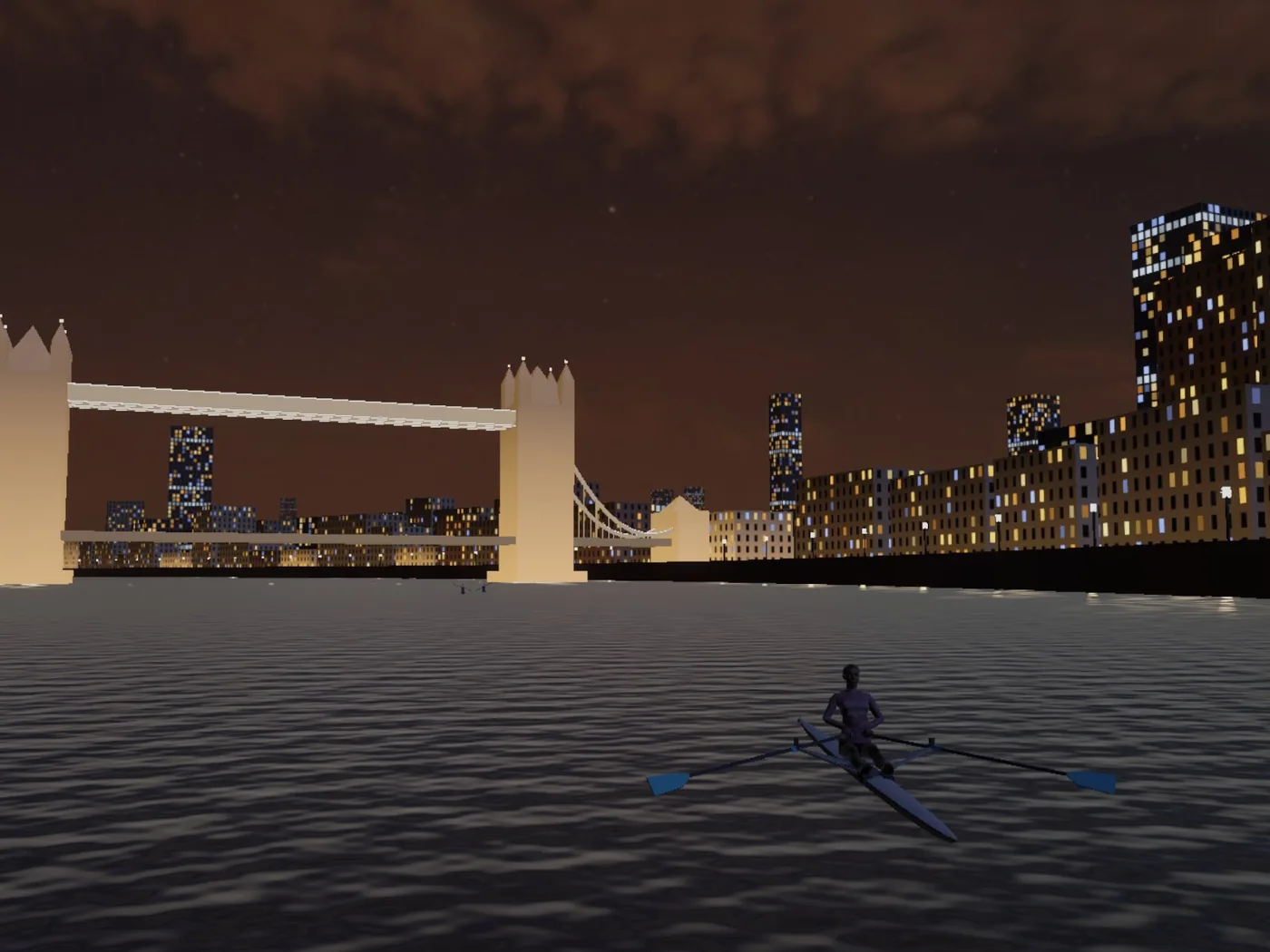
A sculler on a city river at night with illuminated high-rise buildings and a twin-tower suspension bridge in the background.
A city river at night with fireworks
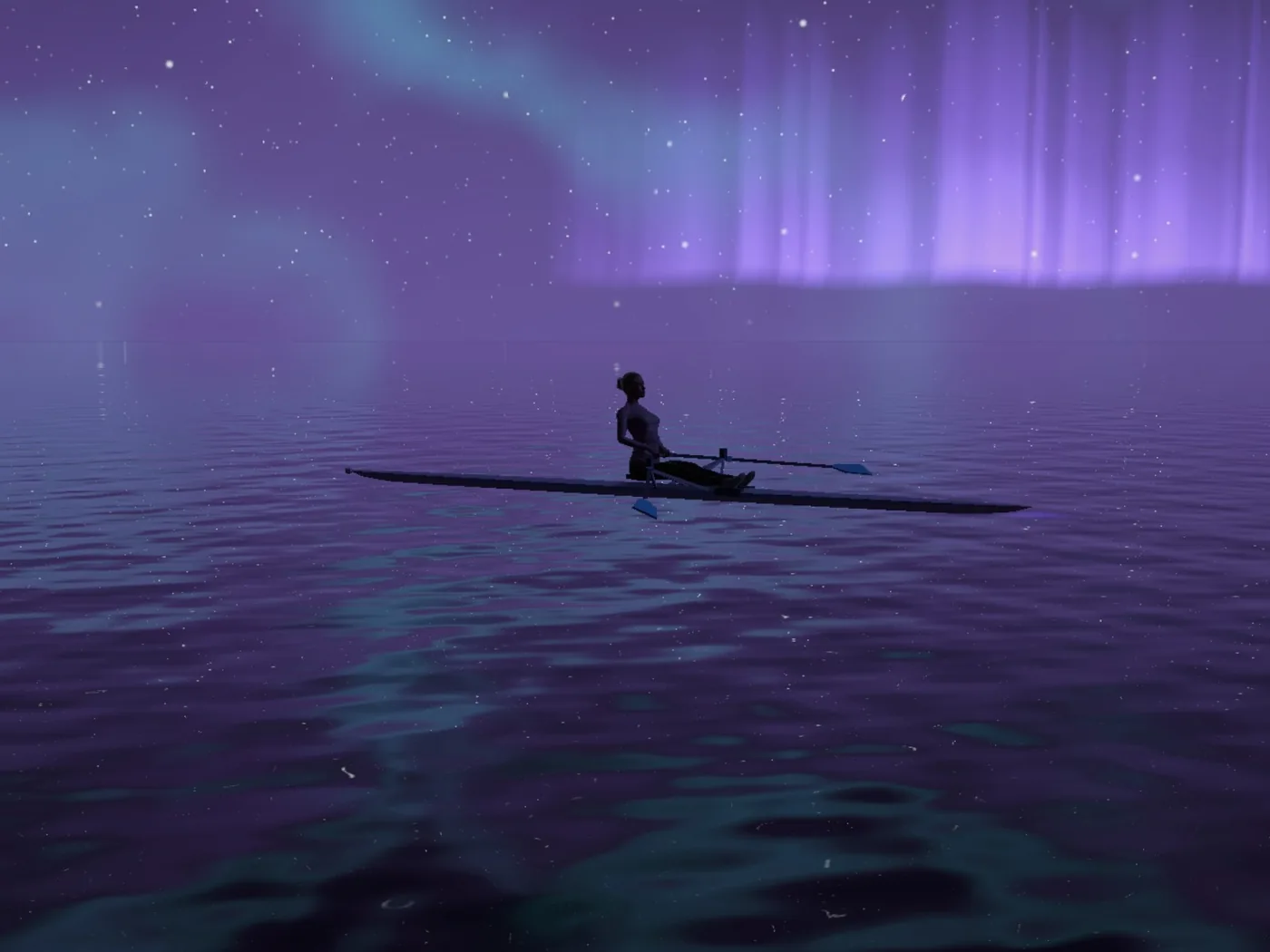
A silhouetted sculler on a dark violet astral sea reflecting stars and glowing purple and teal aurora curtains.
An astral sea that answers your rowing
Workouts

Targets, intervals and fourteen ready-made workouts

Set a time, distance or stroke target, pick one of fourteen ready-made workouts (2,000 m test, 8 × 500 m, pyramids, stroke-rate ladders), or build your own intervals. A buzz and a voice call each round.
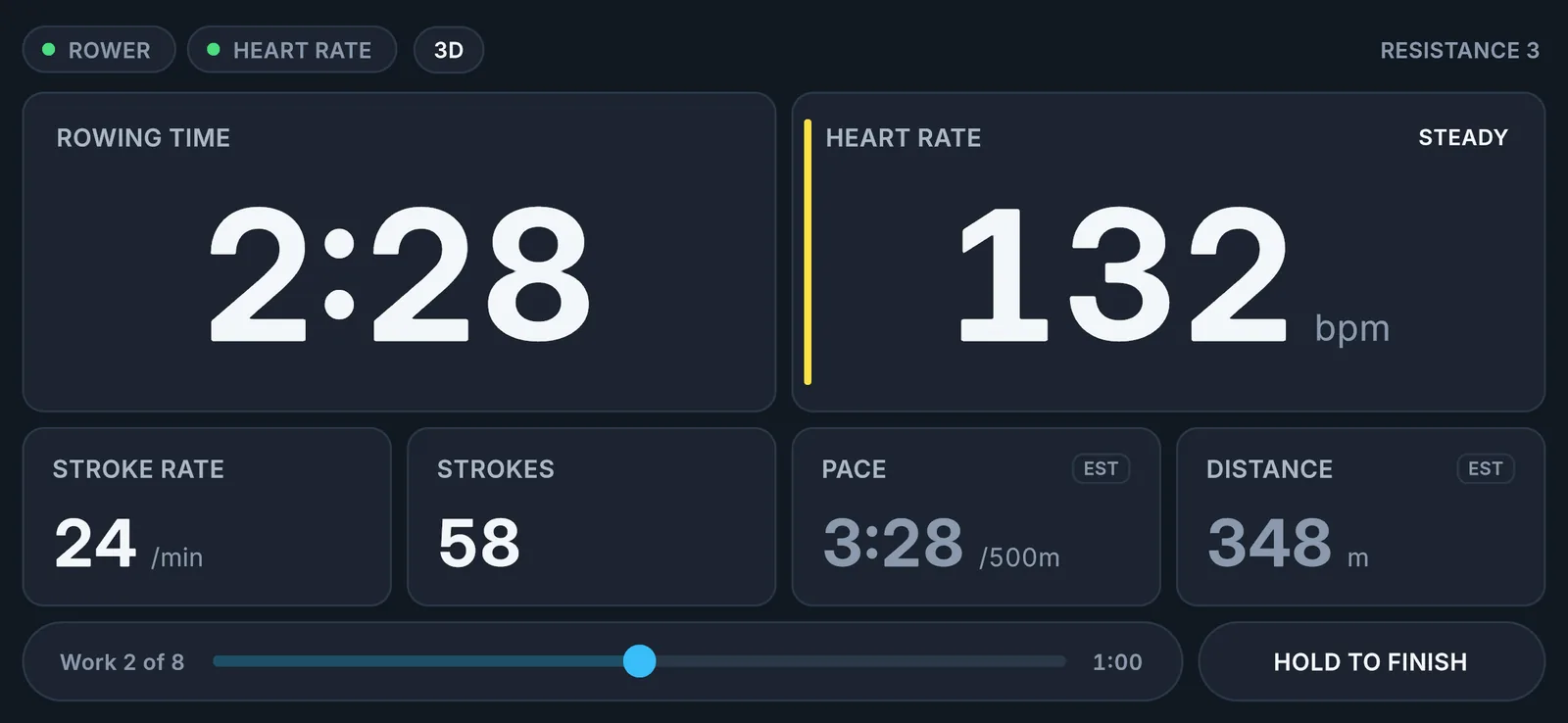
Slate-card workout screen during Work 2 of 8 at Resistance 3, showing rowing time 2:28, heart rate 132 bpm in Steady, stroke rate 24 per minute, 58 strokes, and grey EST badges on pace 3:28 per 500m and distance 348 m.
Slate-card numbers during an 8-round interval workout, with estimated pace and distance clearly marked EST.
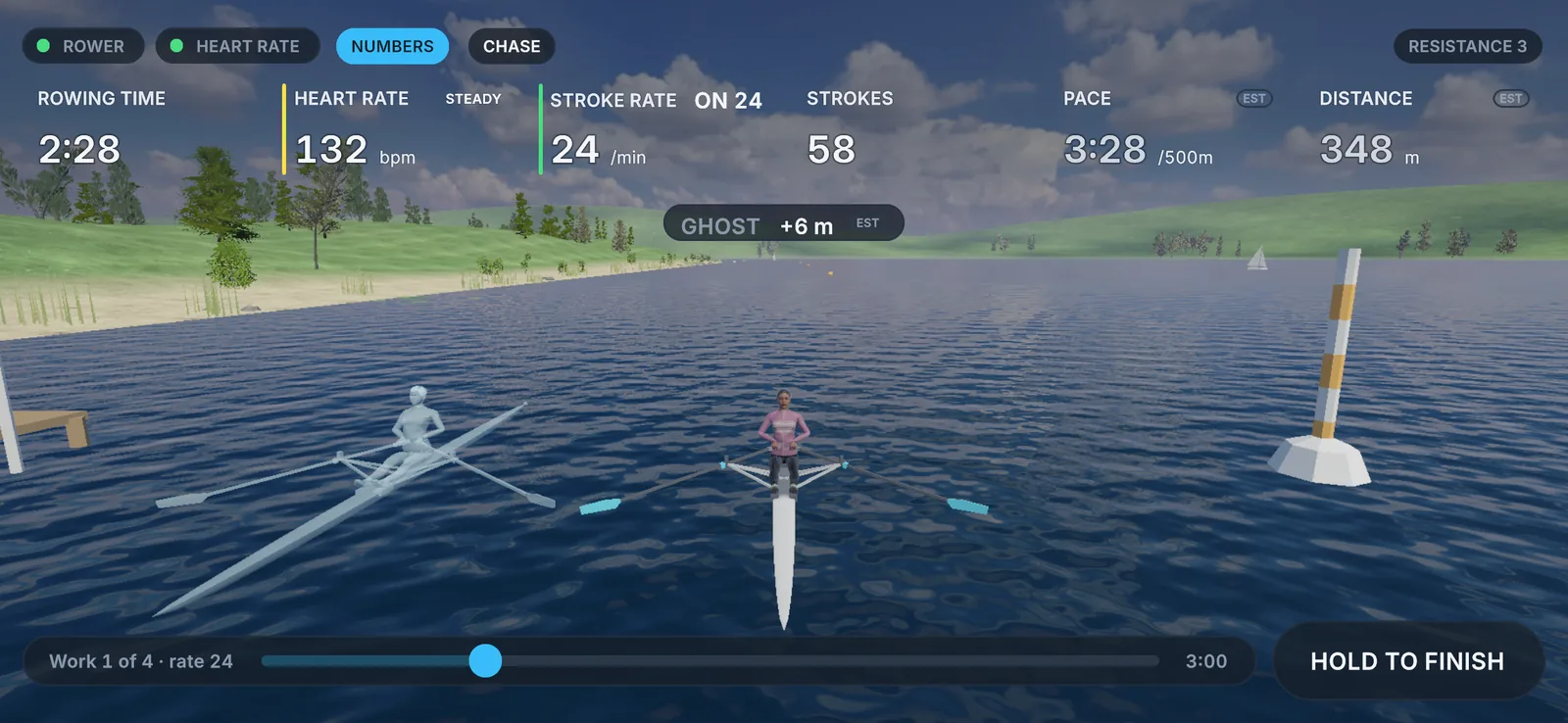
3D lake view during Work 1 of 4 of a stroke-rate ladder at target rate 24, showing a green bar beside stroke rate 24/min (ON 24), a ghost boat 6 metres behind, and grey EST badges on pace and distance.
A stroke-rate ladder in the 3D world: the green indicator shows you are on your target rate of 24 strokes/min while racing your ghost boat.
Watch something while you row

A floating pill over any video app

Want to watch a show or a race while you put in the metres? A small floating pill stays on top of YouTube or any video app, showing your time, heart rate and stroke rate while Squareblade records every stroke in the background.
14:20 time
134 bpm
22 /min
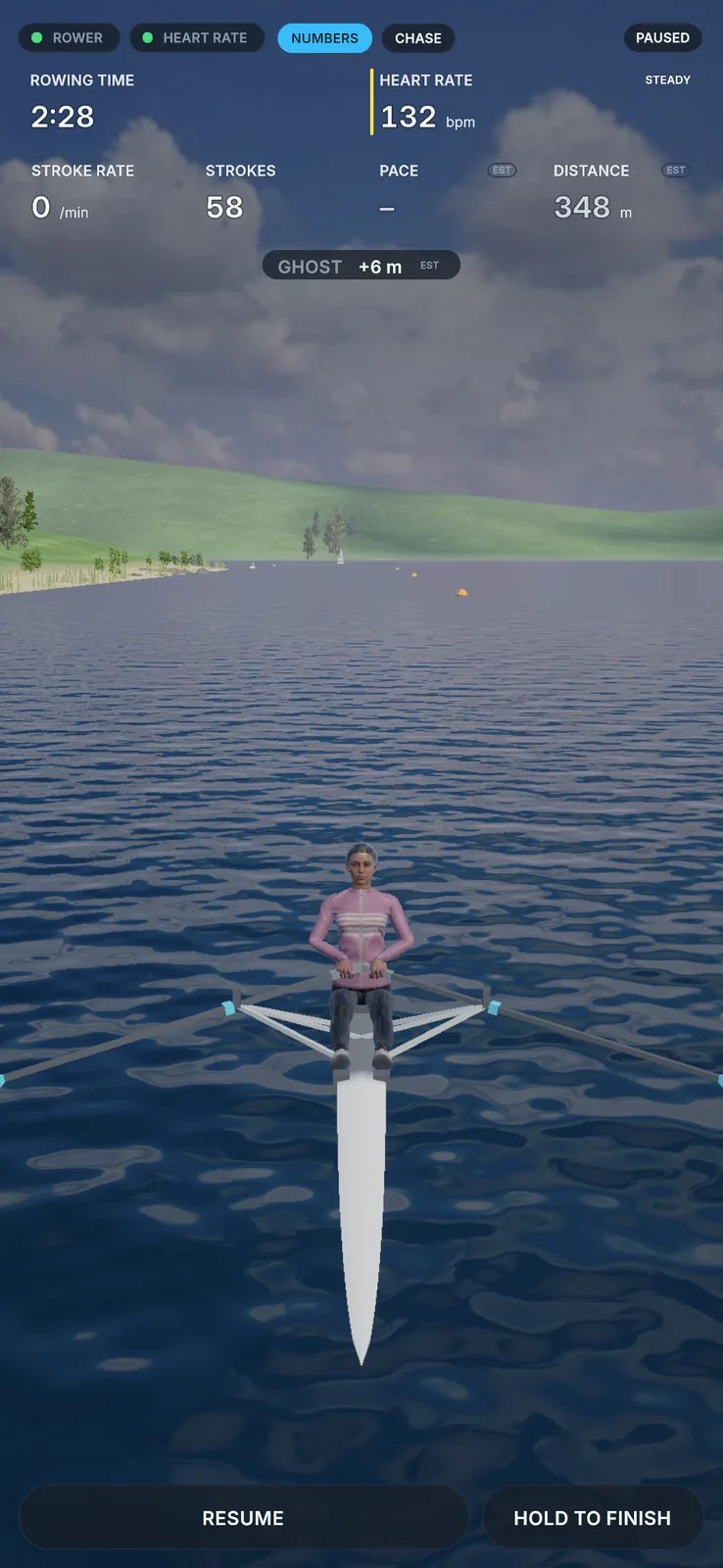
Portrait-mode 3D lake screen while paused at 2:28, showing heart rate 132 bpm (Steady), 58 strokes, estimated distance 348 m, ghost boat +6 m EST, and Resume and Hold to Finish buttons.
Squareblade works in portrait as well as landscape.
Concept2 PM5

Live force curves, drag factor and average stroke

On a Concept2 PM5, Squareblade draws the live force curve of every stroke and your average stroke after the row, with the drag factor beside it, in kg or lb.

Coming soon Concept2 Logbook upload is built and is waiting for Concept2's approval.
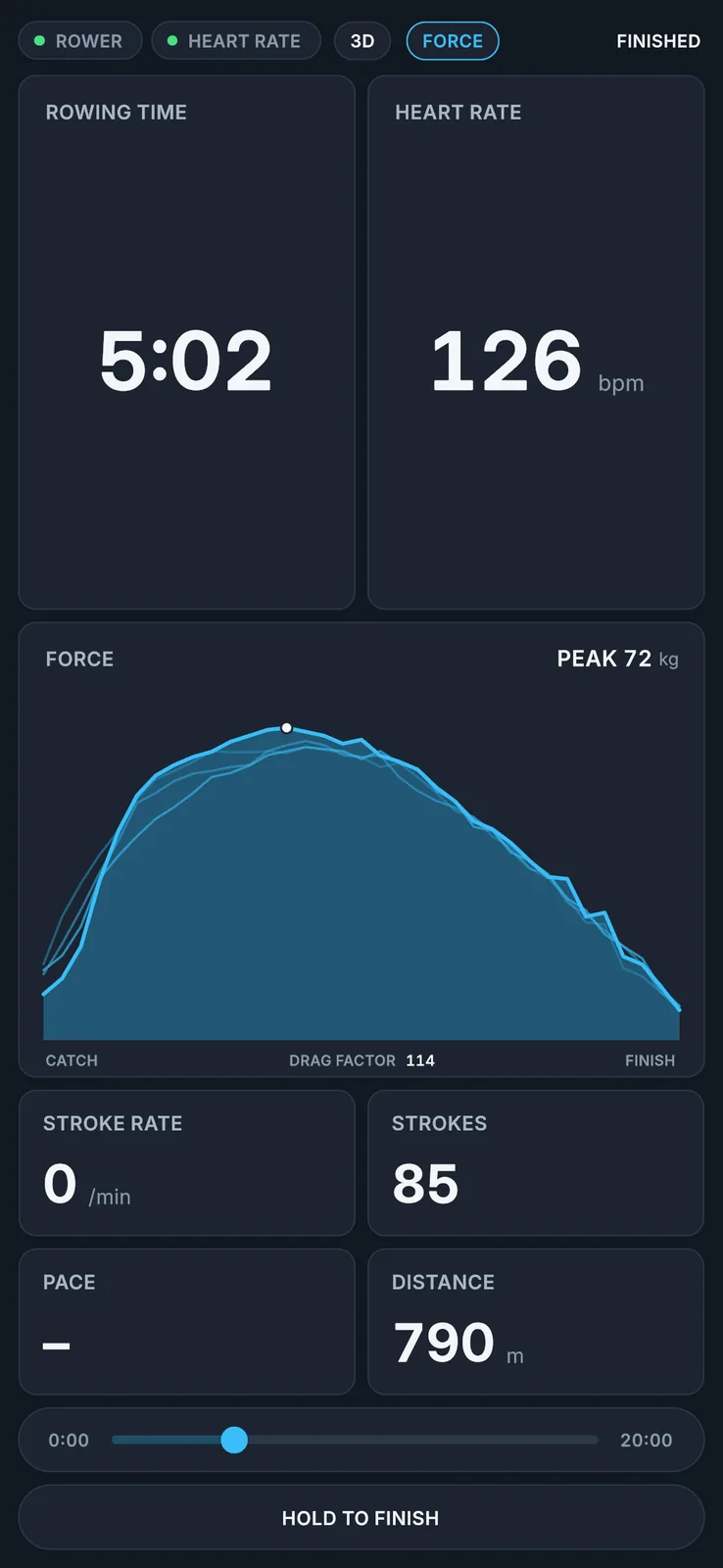
Portrait screen after a 5:02 row showing heart rate 126 bpm, a force curve card with recent stroke traces overlaid, peak force 72 kg, drag factor 114 from catch to finish, 85 strokes and 790 m distance.
Live force curve from catch to finish with peak force in kg or lb and drag factor beside it.
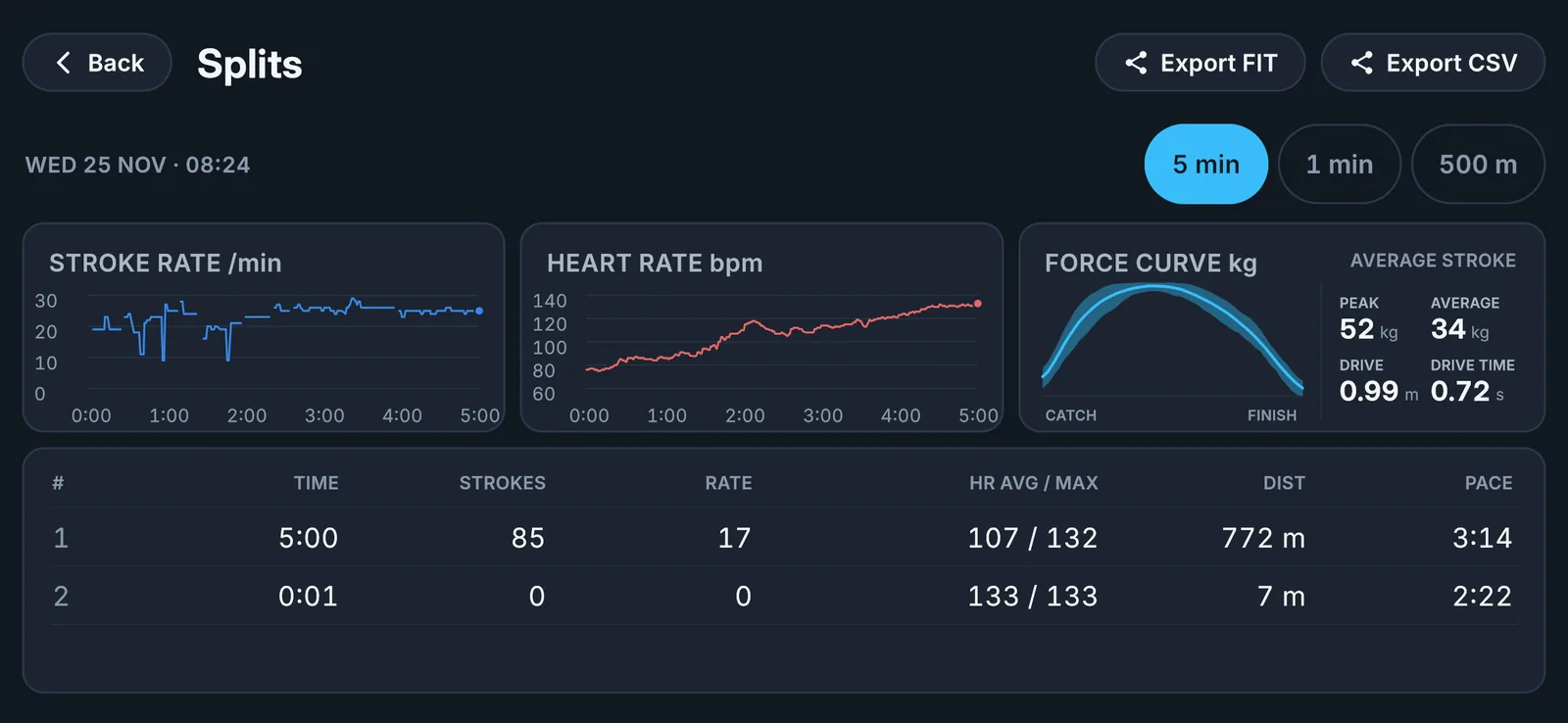
Splits screen showing 5-minute, 1-minute and 500m split selectors, Export FIT and Export CSV buttons, charts for stroke rate and heart rate, an average stroke force curve (peak 52 kg, average 34 kg, drive 0.99 m, drive time 0.72 s), and a table of splits.
After the row: splits by time or 500 m, stroke-rate and heart-rate charts, and your average stroke force curve with peak force, average force, drive length and drive time.
Heart rate

Heart-rate zones and effort score

Connect a Bluetooth heart-rate strap or a watch that broadcasts heart rate. After the row, see your time in each zone and an effort score calculated from your own max heart rate.
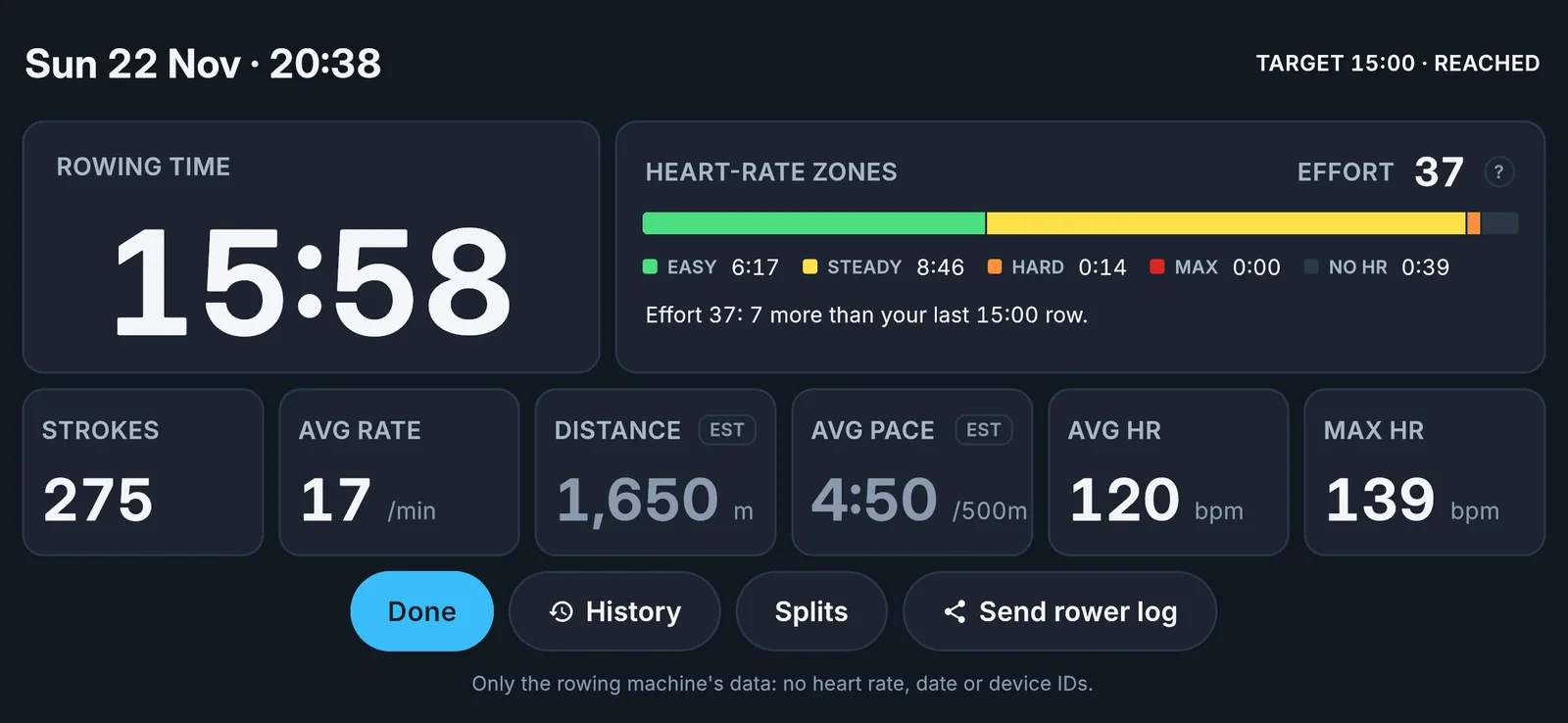
Post-workout summary screen for a 15:58 row showing target 15:00 reached, heart-rate zones bar split into Easy 6:17, Steady 8:46 and Hard 0:14, an Effort score of 37 (7 more than the last 15:00 row), 275 strokes, average rate 17/min, estimated distance 1,650 m, average heart rate 120 bpm, max heart rate 139 bpm, and a Send rower log button.
Workout summary showing time in Easy, Steady, Hard and Max heart-rate zones alongside your effort score.
History and progress

Calendar, weekly stats, streaks, levels and 24 badges

Keep track of your rowing with a calendar of your rows, splits and charts, weekly stats, a streak, levels that grow with your rowing minutes, and 24 badges to earn.
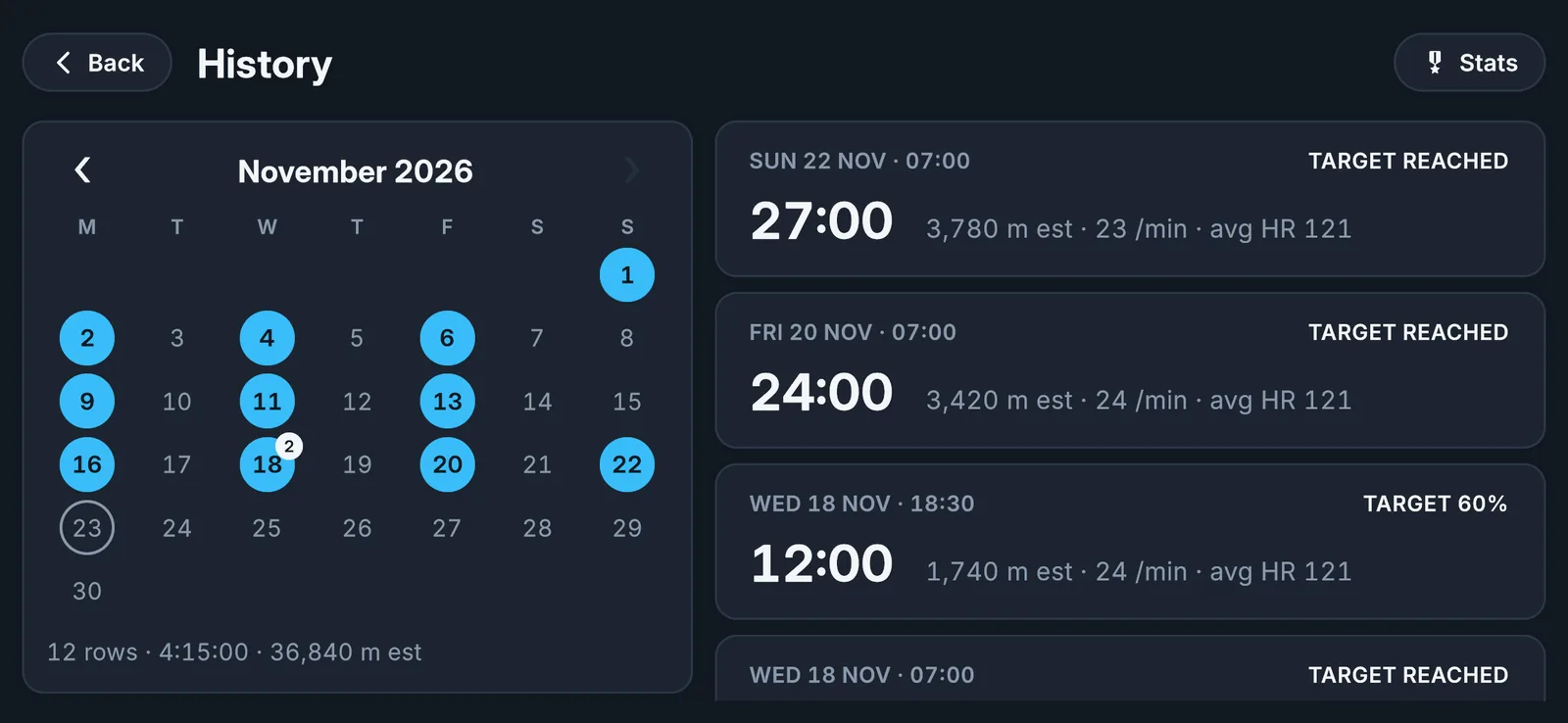
History screen with a November 2026 calendar highlighting rowing days in blue (including two rows on the 18th) and a list of completed workouts with duration, distance, stroke rate and average heart rate.
A monthly calendar of your rows and a list of every session.
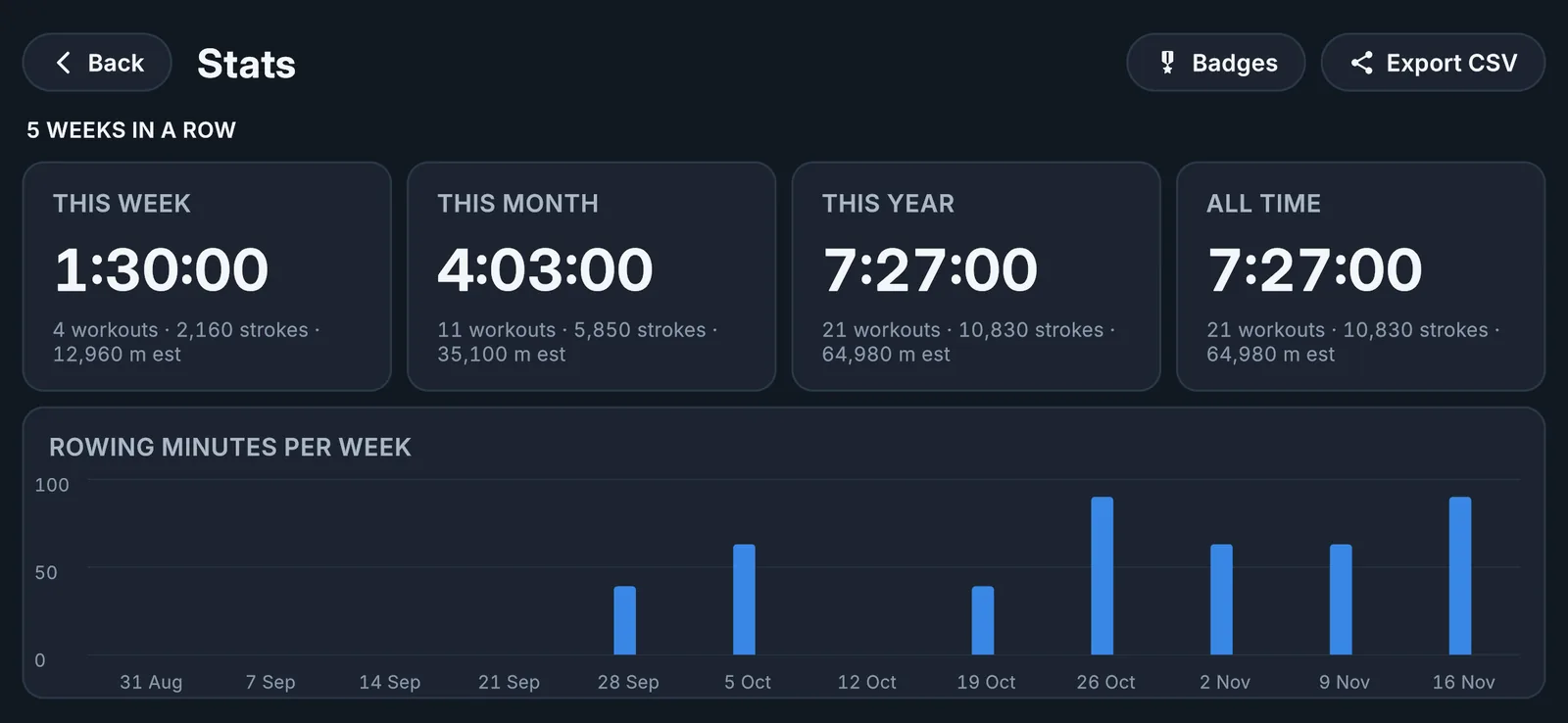
Stats screen showing a 5-week streak, cards for This Week (1:30:00, 4 workouts), This Month (4:03:00, 11 workouts), This Year and All Time (7:27:00, 21 workouts, 10,830 strokes), plus a weekly rowing minutes bar chart.
Weekly, monthly, yearly and all-time totals with a bar chart of rowing minutes per week.
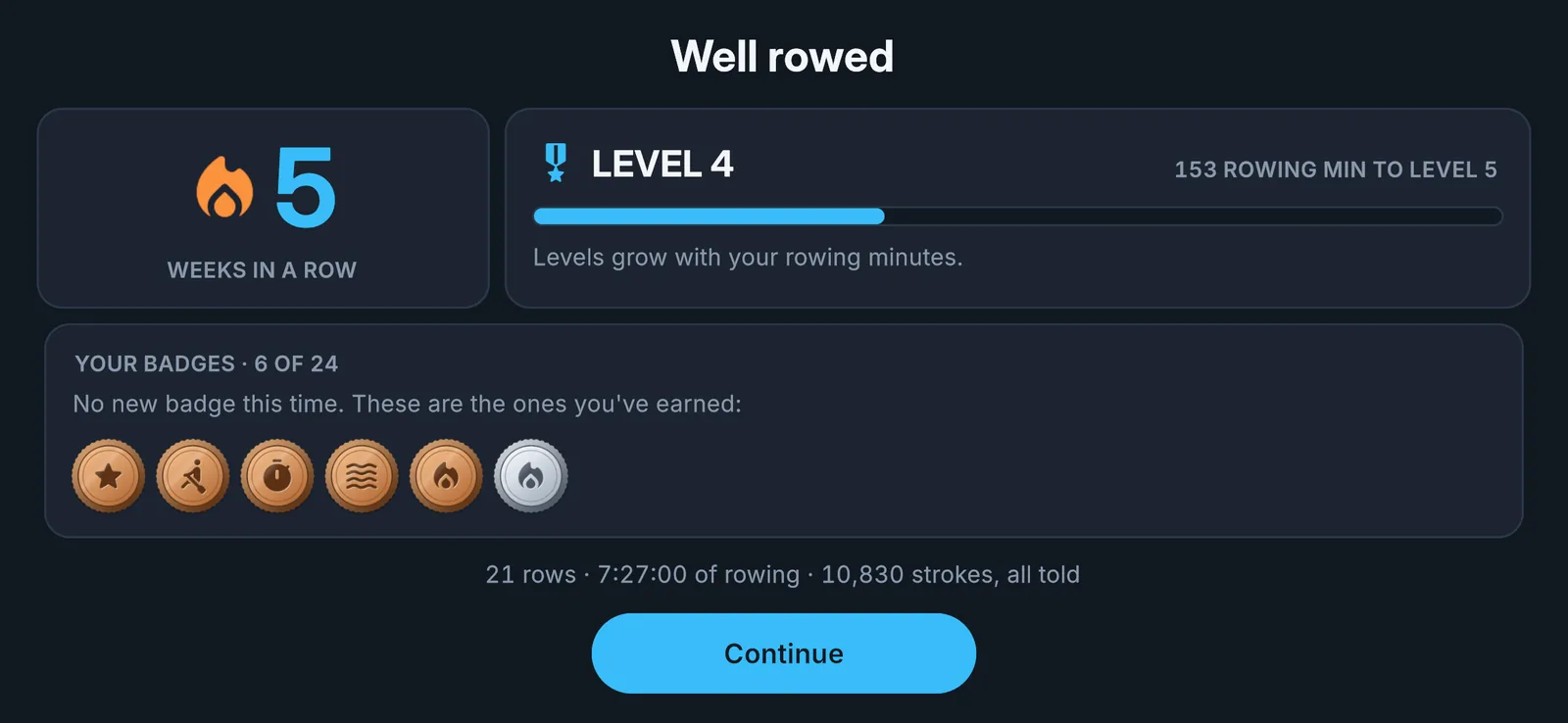
Well rowed screen after finishing a workout, showing 5 weeks in a row, Level 4 progress bar with 153 rowing minutes to Level 5, and 6 of 24 earned badges.
After each workout: your weekly streak, level progress, and earned badges.
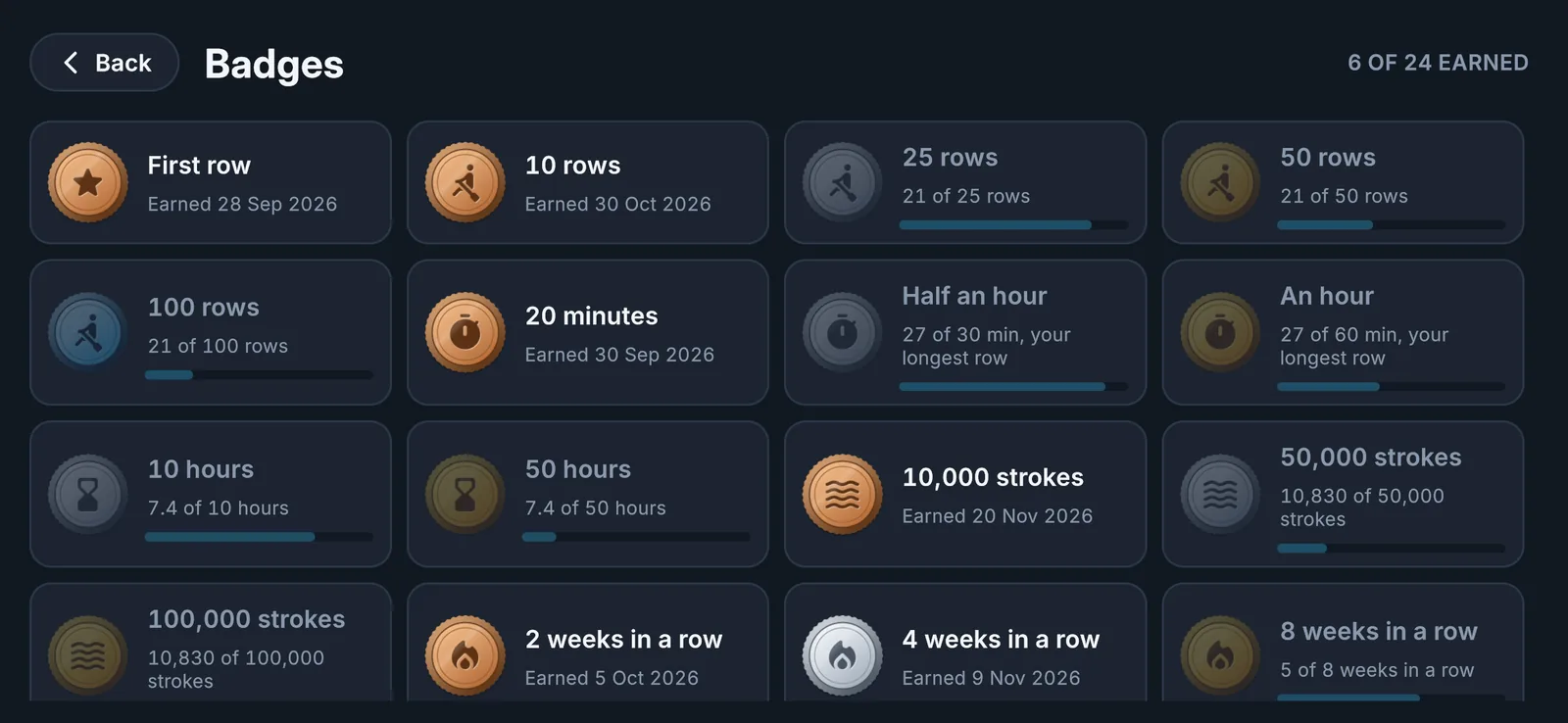
Badges screen showing 6 of 24 earned badges including First row, 10 rows, 20 minutes, 10,000 strokes, 2 weeks in a row and 4 weeks in a row, with progress bars on remaining milestones.
24 badges covering row counts, single-row duration, total hours, total strokes and weekly streaks.
Never lose a workout

Recorded stroke by stroke

Every stroke is recorded on the phone as it happens, even with the screen off or another app in front, and your history is rebuilt from that record if anything goes wrong.

Your data stays yours

No account, no adverts, no tracking

Workouts stay on your phone. You can export a row as a FIT file (Garmin Connect and Strava import it) or CSV, and save rows to Health Connect if you choose.

Read the full privacy policy →

Compatibility

Which rowing machines and phones work

Bluetooth FTMS rowers

Works with Bluetooth rowers that use the standard fitness-machine protocol (FTMS), which most recent ones do.

Tested on a Merach 950 and Concept2 PM5s (firmware 150 or later; older PM5s can't speak it).

Another machine?

If your rower behaves differently, the app can send a log of what your rower sends, so support can be added.

The rower log contains only the rowing machine's data: no heart rate, no date, no device IDs.

Android requirements

  • Android 12 or later
  • Android 14 needed for Health Connect
Beta

Join the Squareblade beta

A closed test on Google Play is coming. Squareblade is free during the beta.

Want an invite? Email hello@squareblade.app and you'll hear from us when the closed test opens.